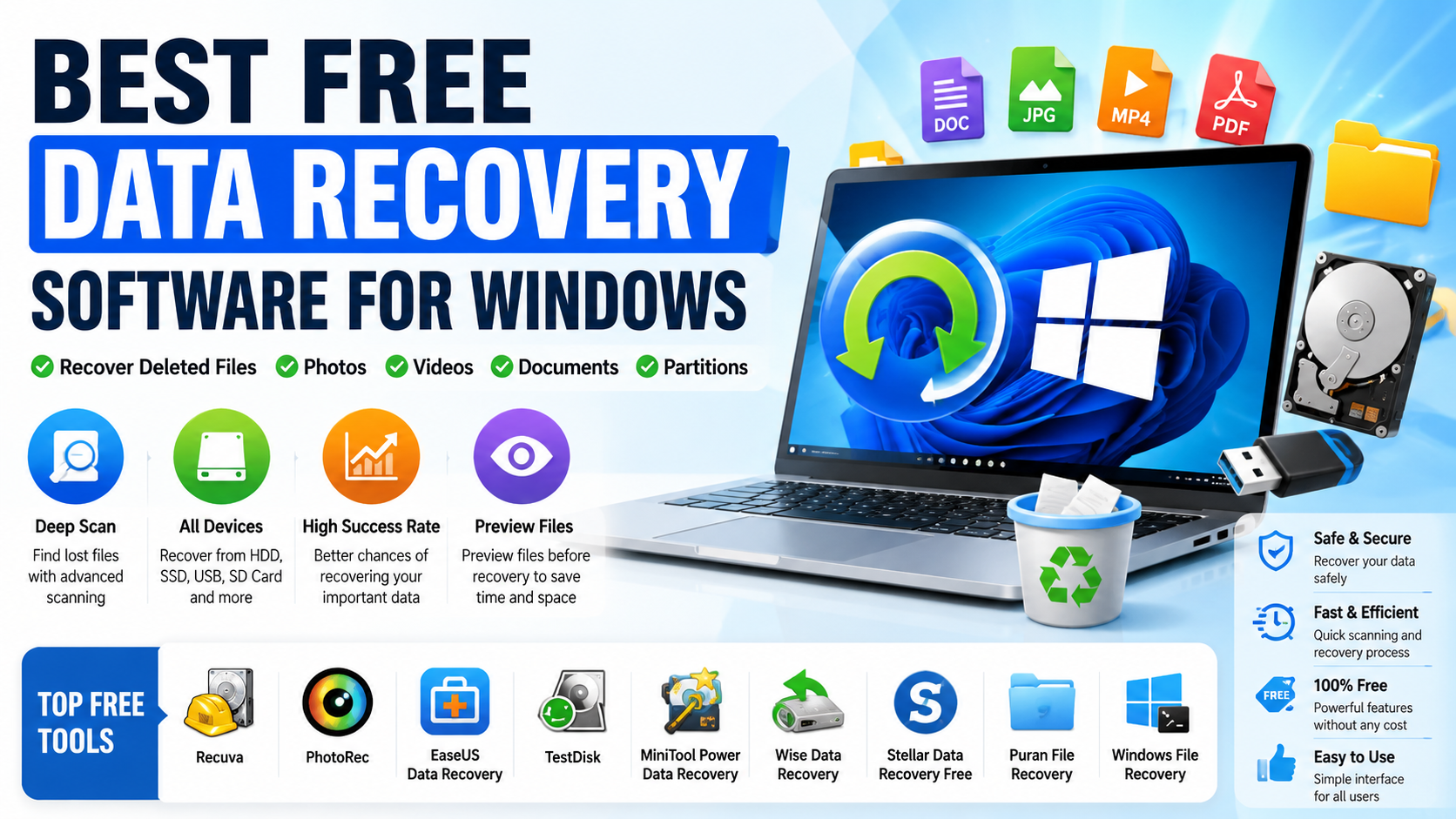
Losing important files can happen unexpectedly because of accidental deletion, corrupted drives, system crashes, or malware attacks. Fortunately, the best free data recovery software for Windows can help restore deleted documents, photos, videos, and other critical files without paying expensive recovery fees.
Many modern recovery tools support HDDs, SSDs, USB drives, SD cards, and even formatted partitions. Some programs offer deep scanning technology that can recover files even after the Recycle Bin has been emptied.
In this guide, you will discover the 10 best free data recovery software for Windows, including their features, advantages, and limitations.
Why Use Free Data Recovery Software for Windows
The best free data recovery software for Windows helps users restore lost or deleted files quickly without needing expensive professional recovery services. Whether data loss happens because of accidental deletion, formatting errors, system crashes, or corrupted storage devices, recovery software can often retrieve important files before they are permanently overwritten.
These recovery tools are especially useful for:
- Recovering accidentally deleted files
- Restoring formatted hard drives or SSDs
- Repairing corrupted partitions
- Recovering lost photos and videos
- Restoring files from USB flash drives and SD cards
Many modern recovery applications support multiple file systems and storage devices, making them suitable for both personal and professional use. Most free recovery programs are also beginner-friendly, offering simple interfaces and guided recovery steps that require minimal technical knowledge.
In addition, many of the best free data recovery software for Windows solutions include advanced features such as deep scanning, file previews, partition recovery, and support for external storage devices. These capabilities improve the chances of successfully restoring important data while keeping the recovery process simple and accessible for everyday users.
1. Recuva
Recuva is one of the most popular choices among users searching for the best free data recovery software for Windows. Developed by Piriform, this lightweight recovery tool offers a clean and beginner-friendly interface while still providing powerful recovery capabilities for deleted files.
Recuva can recover documents, photos, videos, music files, emails, and other important data from internal hard drives, SSDs, USB flash drives, and memory cards. Its simple recovery wizard makes the process easy even for users with limited technical experience.
Features
- Deep scan mode for difficult recoveries
- Recover deleted emails and attachments
- Supports HDDs, SSDs, USB drives, and memory cards
- Portable version available without installation
- Secure overwrite feature for permanent deletion
- Quick recovery wizard for beginners
Advantages
- Fast scanning performance
- Lightweight software with low system usage
- Simple and intuitive interface
- Excellent for recently deleted files
Limitations
- Deep scans may take longer on large drives
- Advanced recovery features are limited compared to premium tools
Best For
Recovering recently deleted files from Windows PCs, USB drives, and memory cards quickly and easily.
2. EaseUS Data Recovery Wizard Free
EaseUS offers one of the best free data recovery software for Windows solutions for users who want a simple yet powerful recovery experience. EaseUS Data Recovery Wizard Free combines an intuitive interface with advanced scanning technology, making it suitable for both beginners and experienced users.
The software can recover deleted documents, photos, videos, emails, and formatted partitions from HDDs, SSDs, USB drives, and memory cards. Its step-by-step recovery process helps users quickly scan storage devices and restore lost files safely.
Features
- Quick scan and deep scan modes
- Partition recovery support
- Preview recoverable files before restoring
- Supports SSD recovery
- Recovers formatted and deleted data
- Compatible with multiple file systems
Advantages
- Very easy to use for beginners
- Clean and modern interface
- Strong recovery performance for common data loss cases
- Supports many storage devices
Limitations
- Free version has a limited recovery quota
- Advanced features require a paid upgrade
Best For
Beginners and home users who need a user-friendly recovery tool with reliable scanning and file recovery features.
3. Disk Drill
CleverFiles developed Disk Drill as a powerful and modern recovery solution for users looking for the best free data recovery software for Windows. The software combines advanced recovery technology with a clean and easy-to-navigate interface, making file recovery accessible for both beginners and advanced users.
Disk Drill supports hundreds of file formats and works with HDDs, SSDs, USB flash drives, SD cards, and other external storage devices. It can recover deleted documents, photos, videos, audio files, and even lost partitions caused by formatting or corruption.
Features
- Recovers formatted drives and deleted partitions
- Supports SD cards and memory cards
- Built-in backup and data protection tools
- File preview before recovery
- Deep scan recovery technology
- Supports multiple Windows file systems
Advantages
- Modern and user-friendly interface
- Strong multimedia recovery performance
- Supports many storage devices and file types
- Includes additional disk protection features
Limitations
- Free recovery capacity is limited
- Deep scans may require more time on large drives
Best For
Recovering multimedia files, formatted partitions, and deleted data from external storage devices and Windows PCs.
4. PhotoRec
PhotoRec is a powerful open-source recovery utility developed by CGSecurity and is widely recognized as one of the best free data recovery software for Windows for advanced recovery tasks. Although its interface is more technical compared to modern graphical recovery tools, PhotoRec delivers excellent recovery performance for severely damaged or formatted storage devices.
The software is designed to recover lost files from HDDs, SSDs, USB drives, SD cards, and other storage media by scanning the device at a low level. It can recover photos, videos, documents, archives, and many other file types even when the file system is corrupted or missing.
Features
- Completely free and open-source software
- Cross-platform support for Windows, macOS, and Linux
- Deep file recovery technology
- Works with damaged or corrupted partitions
- Supports hundreds of file signatures
- Compatible with many storage devices and file systems
Advantages
- Extremely powerful deep recovery capabilities
- Effective on damaged or formatted drives
- No hidden costs or subscription requirements
- Regularly used by advanced technicians and IT professionals
Limitations
- Basic text-based interface may be difficult for beginners
- Lacks modern graphical navigation features
Best For
Advanced users and technicians who need deep recovery capabilities for damaged partitions, formatted drives, and severe file system corruption.
5. TestDisk
TestDisk is a professional-grade open-source recovery utility developed by CGSecurity and is considered one of the best free data recovery software for Windows for repairing damaged partitions and recovering inaccessible drives. Unlike standard file recovery tools, TestDisk focuses heavily on restoring partition structures and fixing file system errors.
The software is capable of recovering lost partitions, rebuilding boot sectors, and repairing corrupted disk structures caused by accidental formatting, malware attacks, or system crashes. It supports many storage devices including HDDs, SSDs, USB flash drives, and memory cards.
Features
- Recover lost or deleted partitions
- Repair damaged boot sectors
- Supports multiple file systems including NTFS, FAT, exFAT, and ext
- Completely free and open-source
- Works with HDDs, SSDs, and removable storage devices
- Advanced disk repair and recovery functions
Advantages
- Extremely powerful partition recovery capabilities
- Effective for repairing corrupted drives
- Supports a wide range of file systems
- Trusted by IT professionals and recovery experts
Limitations
- Command-line interface may be difficult for beginners
- Focuses more on partition recovery than simple file restoration
Best For
Recovering inaccessible, corrupted, or deleted partitions and repairing damaged file systems on Windows storage devices.
6. MiniTool Power Data Recovery Free
MiniTool offers MiniTool Power Data Recovery Free as a reliable and beginner-friendly solution for users searching for the best free data recovery software for Windows. The software provides a simple recovery workflow combined with strong scanning performance, making it suitable for recovering files from everyday data loss situations.
MiniTool Power Data Recovery can restore deleted documents, photos, videos, archives, and folders from HDDs, SSDs, USB flash drives, SD cards, and other removable storage devices. Its guided recovery wizard helps users complete the recovery process quickly without advanced technical knowledge.
Features
- Recover deleted folders and files
- Supports removable drives and external storage
- Quick scan and deep scan technology
- Easy step-by-step recovery wizard
- Preview recoverable files before restoring
- Supports multiple Windows file systems
Advantages
- Beginner-friendly interface
- Fast and efficient scanning process
- Works with many storage device types
- Simple navigation for home users
Limitations
- Free version includes limited recovery capacity
- Advanced recovery features require the premium version
Best For
Home users and beginners seeking a simple and effective recovery tool for deleted files, removable drives, and common Windows data loss problems.
7. Wise Data Recovery
Wise Data Recovery Official Website
WiseCleaner developed Wise Data Recovery as a lightweight and efficient solution for users looking for the best free data recovery software for Windows. The program focuses on simplicity and speed, allowing users to recover recently deleted files quickly without navigating complicated settings.
Wise Data Recovery supports recovery from HDDs, SSDs, USB drives, memory cards, and other removable storage devices. It can restore documents, photos, videos, emails, and compressed files that were accidentally deleted or removed from the Recycle Bin.
Features
- Fast scanning speed for quick recovery
- Portable version available without installation
- Supports FAT, exFAT, and NTFS file systems
- Simple and easy-to-use interface
- Recover files from USB drives and memory cards
- Quick file search and filtering options
Advantages
- Lightweight software with low system usage
- Very fast scan performance
- Beginner-friendly design
- Ideal for simple recovery tasks
Limitations
- Limited advanced recovery features
- Less effective for severely corrupted drives
Best For
Fast recovery of recently deleted files from Windows PCs, USB flash drives, and removable storage devices.
8. Stellar Data Recovery Free
Stellar Data Recovery Official Website
Stellar offers Stellar Data Recovery Free as a reliable solution for users searching for the best free data recovery software for Windows. The software is designed to recover deleted or lost documents, photos, videos, emails, and other important files from HDDs, SSDs, USB drives, memory cards, and formatted partitions.
Stellar Data Recovery combines a user-friendly interface with advanced scanning technology, making it suitable for both beginners and professional users. Its deep scanning engine can search storage devices thoroughly to locate recoverable files even after formatting or corruption.
Features
- Advanced deep scanning engine
- Recovers lost or deleted partitions
- Supports large HDDs and SSDs
- File preview before recovery
- Recovers office documents, photos, videos, and email files
- Compatible with multiple Windows file systems
Advantages
- Reliable recovery performance for media and documents
- Clean and easy-to-use interface
- Supports many storage device types
- Useful preview functionality before restoration
Limitations
- Free version has limited recovery capacity
- Full advanced features require a paid upgrade
Best For
Recovering office documents, photos, videos, and other multimedia files from Windows PCs, SSDs, USB drives, and corrupted partitions.
9. Puran File Recovery
Puran File Recovery Official Website
Puran Software developed Puran File Recovery as a lightweight yet powerful recovery solution for users searching for the best free data recovery software for Windows. The software combines a simple interface with advanced scanning technology, making it effective for recovering lost files from damaged or corrupted storage devices.
Puran File Recovery can restore documents, photos, videos, archives, and other file types from HDDs, SSDs, USB flash drives, memory cards, and formatted partitions. Its deep scanning capability helps locate files that may not appear during standard recovery scans.
Features
- Deep scan support for advanced recovery
- Recover deleted or lost partitions
- Portable recovery mode without installation
- Simple and beginner-friendly interface
- Supports FAT, NTFS, and other Windows file systems
- Recovers files from removable storage devices
Advantages
- Lightweight software with fast performance
- Easy to use for beginners
- Effective deep scanning for damaged drives
- Portable version available for emergency recovery
Limitations
- Interface design is outdated compared to modern tools
- Advanced recovery options are more limited than premium software
Best For
Recovering data from damaged drives, corrupted partitions, USB flash drives, and other storage devices affected by accidental deletion or formatting issues.
10. Windows File Recovery
Microsoft Windows File Recovery
Microsoft provides Windows File Recovery as an official recovery utility for Windows 10 and Windows 11 users. Unlike many graphical recovery applications, this tool operates through the Command Prompt, offering advanced recovery capabilities directly from Microsoft.
Windows File Recovery is designed to recover deleted documents, photos, videos, and other files from HDDs, SSDs, USB drives, and memory cards. It supports different recovery modes depending on the file system and data loss situation, making it useful for recovering files deleted permanently or after formatting.
Features
- Official Microsoft recovery tool
- Supports NTFS file recovery
- Command-line based recovery system
- Deep scanning and signature recovery modes
- Compatible with HDDs, SSDs, USB drives, and SD cards
- Supports Windows 10 and Windows 11
Advantages
- Developed and maintained by Microsoft
- Powerful recovery capabilities for advanced users
- Supports multiple recovery modes
- Lightweight utility with no unnecessary extras
Limitations
- Requires Command Prompt knowledge
- No graphical user interface for beginners
- Recovery commands can be complex for casual users
Best For
Advanced Windows users and technicians who are comfortable using Command Prompt for deep file recovery and advanced storage scanning tasks.
How to Choose the Best Free Data Recovery Software for Windows
Choosing the best free data recovery software for Windows depends largely on your specific recovery situation, storage device type, and technical experience. While some tools focus on simple file restoration, others are designed for advanced recovery tasks such as repairing damaged partitions or recovering formatted drives.
Before selecting a recovery tool, consider the following important factors:
- Ease of use
Beginner-friendly software with a simple interface can make the recovery process faster and safer. - Supported file systems
Ensure the software supports common Windows file systems such as NTFS, FAT32, and exFAT. - Recovery success rate
Reliable recovery performance is essential, especially for important documents, photos, and videos. - Deep scan availability
Deep scanning helps locate files that standard scans may miss, particularly after formatting or corruption. - SSD and USB support
Good recovery software should work with SSDs, USB flash drives, memory cards, and external HDDs. - File preview functionality
Preview features allow users to verify recoverable files before restoring them.
If you only need to recover a few recently deleted files, lightweight tools like Recuva or Wise Data Recovery are usually sufficient. However, for advanced recovery tasks involving corrupted partitions, inaccessible drives, or formatted disks, tools such as TestDisk and PhotoRec are often better choices.
Selecting the right recovery software increases the chances of restoring lost data successfully while reducing the risk of further damage to your storage device.
Tips to Improve Recovery Success
Recovering deleted files successfully often depends on how quickly and carefully you respond after data loss occurs. Even the best free data recovery software for Windows cannot guarantee recovery if deleted data has already been overwritten by new files.
To maximize your recovery success rate, follow these important tips:
- Stop using the affected drive immediately
Continued activity on the drive can overwrite deleted data and make recovery impossible. - Avoid installing recovery software on the same drive
Installing new applications may replace recoverable file sectors with new data. - Save recovered files to another storage device
Always restore files to a different drive, USB device, or external storage location. - Use deep scan mode for formatted or corrupted drives
Deep scanning improves the chances of finding hidden or partially damaged files. - Create regular backups to prevent future data loss
Cloud backups and external storage copies provide the best long-term protection.
Additional Recovery Advice
If possible, disconnect the affected drive until you are ready to begin recovery. For external storage devices such as USB flash drives or memory cards, safely ejecting them can also help prevent further corruption.
The faster you start the recovery process, the higher the chance of restoring deleted files successfully before the original data becomes permanently overwritten.
Conclusion
The best free data recovery software for Windows can help users recover deleted files, formatted partitions, photos, videos, documents, and other important data without relying on expensive professional recovery services. From beginner-friendly tools like Recuva to advanced utilities such as TestDisk and PhotoRec, there are reliable recovery solutions available for nearly every type of data loss situation.
Choosing the right recovery software depends on your needs, technical experience, and the condition of the affected storage device. Lightweight tools are ideal for recently deleted files, while deep recovery applications are more effective for corrupted drives, formatted partitions, and severe file system damage.
Most importantly, acting quickly after data loss greatly improves the chances of successful recovery. Avoiding further use of the affected drive, using deep scan features, and restoring files to a separate storage device can significantly increase recovery success rates.
When combined with regular backups, cloud synchronization, antivirus protection, and proper storage maintenance, the best free data recovery software for Windows becomes an essential safeguard against permanent file loss and unexpected data disasters.


