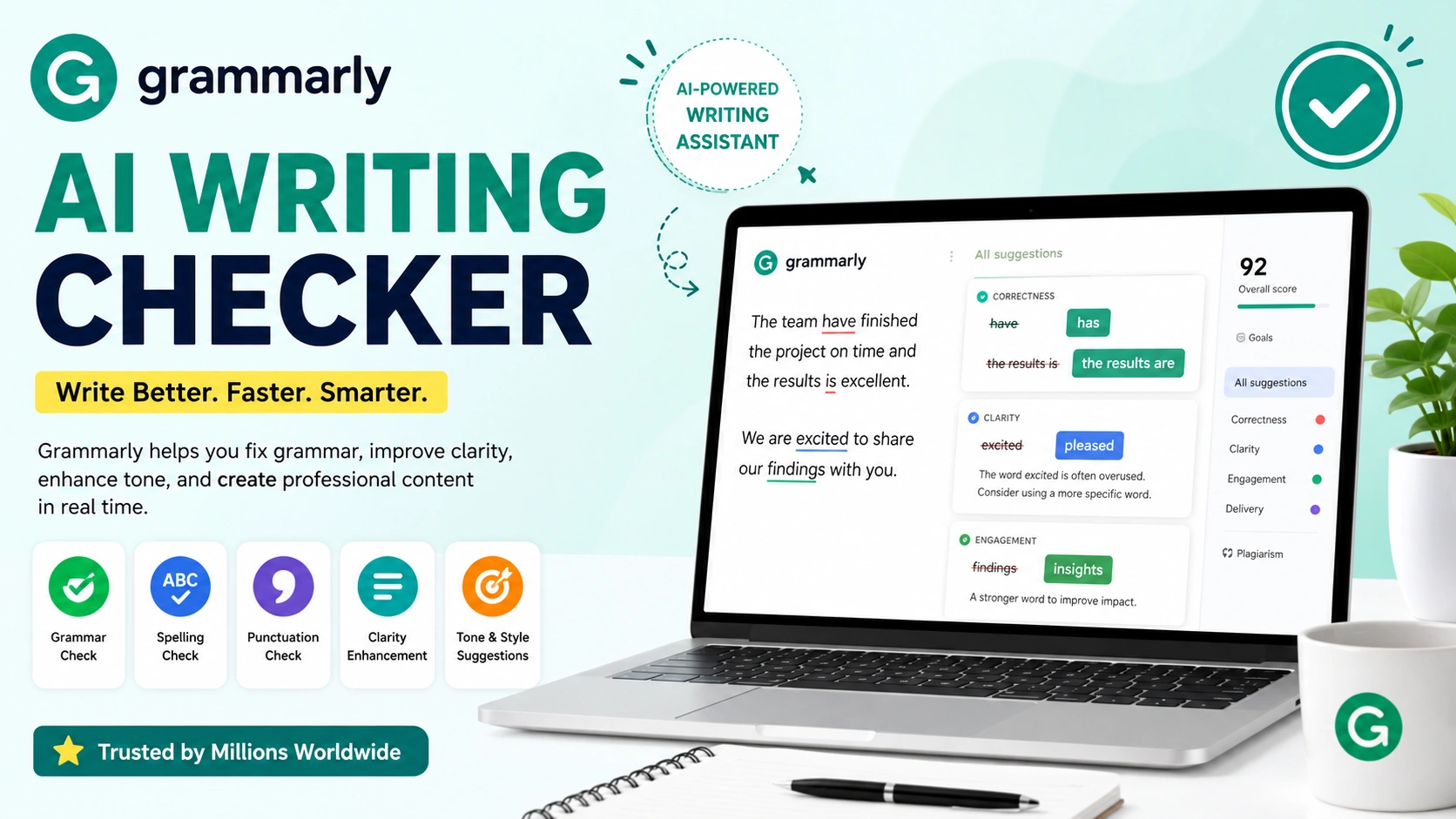
Writing error-free content is essential for bloggers, students, marketers, and business professionals. Grammarly AI Writing Checker has become one of the most popular tools for improving grammar, spelling, clarity, and writing style instantly.
This tutorial explains how Grammarly AI Writing Checker works, its best features, pricing, advantages, and how beginners can use it to improve content quality efficiently.
What Is Grammarly AI Writing Checker?
Grammarly AI Writing Checker is an AI-powered writing assistant designed to detect grammar mistakes, spelling issues, punctuation errors, and readability problems in real time. It helps users improve writing quality by offering instant corrections and suggestions while they type.
The platform uses artificial intelligence and natural language processing (NLP) to analyze text contextually. This allows Grammarly to help users create professional, polished, and engaging content across different writing formats, including emails, blogs, academic papers, social media posts, and business documents.
Grammarly is widely used because it integrates with multiple platforms, including web browsers, desktop applications, Microsoft Word, Google Docs, and mobile devices. This cross-platform support ensures users can improve their writing anywhere they work.
Official Website: https://www.grammarly.com/
Why Grammarly AI Writing Checker Is Popular
Many writers struggle with grammar mistakes, awkward sentence structures, and inconsistent writing tone. Grammarly AI Writing Checker has become popular because it simplifies the editing process with real-time AI-powered suggestions that improve writing quality instantly.
Whether users are creating blog posts, business emails, academic papers, or social media content, Grammarly helps produce clearer and more professional writing with minimal effort.
Popular reasons users choose Grammarly AI Writing Checker include:
- Real-time grammar correction
- Advanced AI writing enhancement
- Accurate tone detection
- Built-in plagiarism checking
- Readability improvement suggestions
- Cross-platform compatibility
- Fast and efficient proofreading
The software helps writers save editing time while improving grammar accuracy, sentence clarity, and overall communication quality. Its user-friendly interface and multi-device support make Grammarly one of the most trusted AI writing assistants available today.
How Grammarly AI Writing Checker Works
Grammarly AI Writing Checker uses artificial intelligence, machine learning, and advanced linguistic analysis to evaluate written content in real time. The system processes text instantly and compares it against extensive grammar rules, contextual language patterns, and writing databases to identify potential issues.
When users type content, Grammarly automatically scans for several writing problems, including:
- Grammar errors
- Spelling mistakes
- Punctuation issues
- Sentence clarity problems
- Passive voice usage
- Tone inconsistencies
- Repeated words and phrases
The AI engine then provides instant correction suggestions along with explanations that help users understand why changes are recommended. This not only improves the current document but also helps writers strengthen their long-term writing skills.
Grammarly AI Writing Checker can also analyze sentence structure, readability, engagement, and writing tone to ensure content sounds clear, professional, and easy to understand. The platform works continuously in the background across browsers, desktop applications, mobile devices, and supported writing platforms.
10 Powerful Features of Grammarly AI Writing Checker
1. Real-Time Grammar Checking
One of the most valuable features of Grammarly AI Writing Checker is its real-time grammar correction capability. The software automatically analyzes text while users type and instantly highlights grammar mistakes that could affect readability and professionalism.
Grammarly helps detect several common writing issues, including:
- Verb tense mistakes
- Subject-verb agreement errors
- Incorrect sentence structures
- Missing punctuation
- Misused words
- Capitalization problems
The AI-powered system provides immediate correction suggestions that users can apply with a single click. This saves time during editing and helps writers produce cleaner, more accurate content without manually proofreading every sentence.
Real-time grammar checking is especially useful for bloggers, students, business professionals, and content creators who need fast and reliable writing assistance across multiple platforms.
2. Advanced Spelling Correction
Grammarly AI Writing Checker includes advanced spelling correction technology that goes beyond traditional spell-check tools. The AI can accurately identify misspelled words, typing errors, and incorrect word usage in real time while users write content.
One of Grammarly’s biggest advantages is its ability to recognize complex vocabulary, industry-specific terminology, and technical terms that many standard spell checkers fail to detect properly.
The system also analyzes sentence context to identify contextual spelling mistakes, such as confusing words that sound similar but have different meanings. For example, Grammarly can distinguish between words like “their,” “there,” and “they’re” based on sentence structure and intended meaning.
This intelligent spelling analysis helps users create more accurate, professional, and polished writing while reducing embarrassing errors in emails, articles, academic papers, and business documents.
3. Clarity Improvement Suggestions
Grammarly AI Writing Checker helps improve content readability by simplifying complicated or confusing sentences. The AI analyzes sentence structure and wording to ensure that written content is clear, concise, and easy for readers to understand.
The tool provides several clarity enhancement recommendations, including:
- Shorter sentence structures
- Clear and direct wording
- Better sentence transitions
- Reduced wordiness
- Improved readability flow
These suggestions help writers eliminate unnecessary complexity and create smoother, more engaging content for blogs, emails, reports, and academic writing.
By improving clarity, Grammarly AI Writing Checker makes communication more effective and reader-friendly. This feature is especially valuable for content creators, students, and professionals who want their writing to sound polished and easy to follow.
4. Tone Detection
Tone detection is one of the most useful features of Grammarly AI Writing Checker for professional communication and business writing. The AI analyzes word choice, sentence structure, and writing style to determine how the content may sound to readers.
Grammarly can identify whether writing appears:
- Formal
- Friendly
- Confident
- Optimistic
- Professional
- Respectful
- Persuasive
This feature helps users adjust their communication style based on the intended audience and purpose. For example, business emails may require a more professional tone, while marketing content may benefit from a friendly and engaging style.
By providing tone analysis and improvement suggestions, Grammarly AI Writing Checker helps writers communicate more clearly, avoid misunderstandings, and create content that matches the desired emotional impact and professionalism.
5. AI Writing Assistance
Grammarly AI Writing Checker includes advanced AI writing assistance that helps users rewrite sentences, improve wording, and create more engaging content. The AI analyzes sentence structure, readability, and context to provide smarter writing recommendations in real time.
The system can suggest:
- Better sentence phrasing
- Stronger vocabulary choices
- More concise wording
- Improved sentence flow
- Enhanced readability
This feature is especially useful for:
- Blog writing
- Marketing copy
- Academic writing
- Email drafting
- Business communication
- Social media content
AI-powered writing recommendations help users create polished, professional, and reader-friendly content faster. Instead of spending hours editing manually, writers can quickly improve clarity, tone, and overall writing quality with intelligent suggestions from Grammarly’s AI assistant.
This functionality is valuable for beginners and experienced writers who want to increase productivity while maintaining high-quality writing standards.
6. Plagiarism Detection
Grammarly AI Writing Checker includes a powerful plagiarism detection feature available for Premium users. The system scans written content and compares it against billions of web pages, online publications, and academic databases to identify potential duplicate or copied material.
The plagiarism checker helps users detect:
- Duplicate sentences
- Unoriginal content
- Improper citations
- Accidental plagiarism
- Similar wording from online sources
When similarities are found, Grammarly highlights the matching sections and provides source references so users can review and correct the content properly.
This feature is especially important for:
- Bloggers
- Students
- Academic researchers
- Content writers
- Publishers
- Marketing professionals
Plagiarism detection helps maintain originality, improve content credibility, and reduce the risk of copyright or academic integrity issues. For professional content creators and students, Grammarly’s plagiarism checker adds an extra layer of quality control before publishing or submitting written work.
7. Browser Extension Support
Grammarly AI Writing Checker provides convenient browser extensions for major web browsers, including Chrome, Microsoft Edge, Firefox, and Safari. These extensions allow users to access Grammarly’s grammar and writing assistance features directly while typing online.
The Grammarly browser extension works across many popular websites and platforms, including:
- Gmail
- WordPress
- Google Docs
- Twitter/X
- Online forms and messaging platforms
As users type, Grammarly automatically scans content in real time and highlights grammar mistakes, spelling errors, punctuation issues, and readability problems instantly.
This cross-platform compatibility makes Grammarly AI Writing Checker highly practical for everyday communication, content creation, blogging, social media management, and professional writing. Users can improve writing quality almost everywhere online without switching between separate editing tools.
8. Microsoft Word Integration
Grammarly AI Writing Checker integrates directly with Microsoft Word, allowing users to edit and proofread documents without leaving the application. This seamless integration helps writers improve grammar, spelling, clarity, and writing style while working inside Word documents.
Once installed, Grammarly automatically analyzes content in real time and provides instant suggestions for:
- Grammar corrections
- Spelling improvements
- Punctuation fixes
- Sentence clarity
- Tone adjustments
- Vocabulary enhancement
Users can review and apply corrections directly within Microsoft Word, making the editing process faster and more efficient.
This feature is especially valuable for:
- Office workers
- Students
- Business professionals
- Academic writers
- Content creators
Microsoft Word integration helps users maintain professional writing standards while reducing the need for manual proofreading or switching between multiple editing tools. It also improves productivity by streamlining document editing workflows in one familiar environment.
9. Mobile Keyboard App
Grammarly AI Writing Checker also offers a mobile keyboard application for Android and iOS devices. This feature allows users to improve writing quality directly on smartphones and tablets while typing in mobile applications.
The Grammarly keyboard provides real-time assistance for:
- Grammar correction
- Spelling fixes
- Punctuation improvements
- Sentence clarity
- Tone suggestions
- Vocabulary enhancement
Users can receive instant writing recommendations while composing:
- Text messages
- Emails
- Social media posts
- Business chats
- Online comments
- Notes and documents
The mobile keyboard app helps maintain professional and error-free communication even when writing on smaller mobile screens. This is especially useful for business professionals, students, bloggers, and social media managers who frequently create content on mobile devices.
By combining convenience with AI-powered proofreading, Grammarly’s mobile keyboard app ensures users can write confidently from virtually anywhere.
10. Performance Insights
Grammarly AI Writing Checker provides detailed performance insights that help users track and improve their writing skills over time. Instead of only correcting mistakes, the platform also analyzes writing patterns and offers useful statistics about overall content quality.
Users can monitor several important writing metrics, including:
- Vocabulary variety
- Writing tone
- Readability scores
- Word count goals
- Engagement levels
- Clarity improvements
These insights help writers understand their strengths and identify areas that need improvement. For example, users can learn whether their writing sounds too formal, repetitive, or difficult to read.
Performance tracking is especially beneficial for bloggers, students, marketers, and professional writers who regularly create content and want to maintain consistent writing quality.
By reviewing these analytics regularly, users can gradually develop stronger writing habits, improve communication skills, and create more polished and effective content over time.
How to Use Grammarly AI Writing Checker
Using Grammarly AI Writing Checker is simple, even for beginners with no technical experience. The platform is designed to provide instant writing assistance across multiple devices and applications.
Step 1: Create a Grammarly Account
Visit the Grammarly website and create an account using your email address, Google account, Apple ID, or Facebook account.
After registration, users can access Grammarly’s free writing tools immediately.
Step 2: Install Grammarly
Choose and install the Grammarly version that best matches your workflow and writing habits.
Available options include:
- Browser extension
- Desktop application
- Microsoft Word plugin
- Mobile keyboard app
Grammarly supports major browsers and operating systems, making installation quick and easy.
Step 3: Start Writing
Open any supported platform and begin typing content normally.
Grammarly automatically scans text in real time and highlights potential writing issues, including:
- Grammar mistakes
- Spelling errors
- Punctuation problems
- Clarity issues
- Tone inconsistencies
The AI suggestions appear instantly while writing.
Step 4: Review and Accept Suggestions
Carefully review Grammarly’s recommendations before applying changes.
Users can:
- Accept suggested edits
- Ignore recommendations
- Read grammar explanations
- Rewrite sentences for clarity
This helps writers learn from mistakes while improving content quality.
Step 5: Improve Content Quality
Continue refining the text until readability, grammar accuracy, and overall writing quality improve.
Grammarly also provides writing performance insights that help users strengthen communication skills over time.
By using Grammarly AI Writing Checker consistently, writers can produce clearer, more professional, and error-free content faster and more efficiently.
Grammarly Free vs Premium
Grammarly AI Writing Checker offers both Free and Premium plans designed for different writing needs. The free version provides essential proofreading tools, while the Premium plan includes advanced AI-powered writing and editing features for professional users.
Grammarly Free
The Grammarly Free plan includes basic writing assistance features that help users improve everyday content.
Key features include:
- Basic grammar checking
- Spelling correction
- Punctuation detection
- Limited tone suggestions
- Basic sentence clarity improvements
The free version works well for casual writing, personal emails, social media posts, and simple documents. It is ideal for users who need quick proofreading without advanced editing tools.
Grammarly Premium
Grammarly Premium unlocks more advanced AI writing and editing capabilities designed for professional and academic writing.
Premium features include:
- Advanced clarity suggestions
- Tone adjustments
- Plagiarism detection
- Full sentence rewrites
- Vocabulary enhancement
- Fluency improvements
- Writing style recommendations
These tools help users create more polished, engaging, and professional-quality content across blogs, business documents, academic papers, and marketing materials.
Professional writers, students, marketers, freelancers, and business professionals benefit the most from Grammarly Premium because of its deeper writing analysis and AI-powered optimization features.
Advantages of Grammarly AI Writing Checker
Grammarly AI Writing Checker offers several important advantages for students, bloggers, business professionals, marketers, and content creators. Its AI-powered editing tools help users create clearer, more accurate, and professional-quality writing with less effort.
Saves Editing Time
Grammarly automatically detects and corrects grammar mistakes, spelling errors, and punctuation issues in real time. This reduces the need for lengthy manual proofreading and speeds up the editing process significantly.
Improves Writing Quality
The AI-powered system enhances grammar, sentence clarity, readability, and overall writing flow instantly. Grammarly helps users create polished and reader-friendly content more efficiently.
Helps Non-Native English Writers
Grammarly is especially useful for users who want to improve their English communication skills. The platform provides grammar explanations and writing suggestions that help non-native English speakers write with greater confidence and accuracy.
Works Across Multiple Platforms
Grammarly integrates with various platforms and devices, including:
- Web browsers
- Microsoft Word
- Desktop applications
- Mobile devices
- Google Docs
This flexibility allows users to improve writing quality almost anywhere online or offline.
Enhances Professional Communication
Business emails, reports, presentations, and official documents become more polished and professional with Grammarly’s writing assistance. Tone analysis and clarity suggestions help users communicate more effectively in professional environments.
Overall, Grammarly AI Writing Checker improves productivity, writing accuracy, and communication quality for both casual and professional users.
Limitations of Grammarly AI Writing Checker
Although Grammarly AI Writing Checker is a powerful writing assistant, it also has several limitations that users should be aware of before relying on it completely.
Internet Dependency
Most of Grammarly’s advanced features require a stable internet connection. Without internet access, users may not be able to use real-time suggestions, AI-powered corrections, or cloud-based writing analysis tools.
Premium Cost
While Grammarly offers a free version, many of its most advanced features are only available in the Premium plan. This includes plagiarism detection, full sentence rewrites, and advanced clarity improvements, which may be expensive for some users.
Over-Correction
In some cases, Grammarly may suggest changes that alter the original writing style, tone, or meaning. This can lead to over-correction, especially in creative or personal writing where the author’s voice is important.
Need for Manual Review
Despite its AI capabilities, Grammarly is not perfect. Writers should always review suggestions carefully to ensure that edits match the intended meaning and context of the content.
Overall, while Grammarly AI Writing Checker is highly effective, it should be used as a supportive tool rather than a complete replacement for human proofreading and editing.
Best Alternatives to Grammarly
While Grammarly AI Writing Checker is one of the most popular writing tools, there are several strong alternatives that also offer grammar checking, writing assistance, and content improvement features. Each tool has its own strengths, pricing model, and unique editing capabilities.
ProWritingAid
ProWritingAid is a powerful writing assistant designed for in-depth editing and style improvement. It offers detailed reports on grammar, readability, sentence structure, and writing style. This tool is especially useful for authors, bloggers, and long-form content creators.
QuillBot
QuillBot is well known for its paraphrasing and rewriting capabilities. It helps users rephrase sentences while maintaining meaning, making it ideal for academic writing, content rewriting, and summarization tasks.
Hemingway Editor
Hemingway Editor focuses on improving readability and clarity. It highlights complex sentences, passive voice, and hard-to-read phrases, helping users create simple and direct content.
Ginger Software
Ginger Software provides grammar correction, sentence rephrasing, and translation features. It is commonly used by non-native English speakers to improve writing fluency and accuracy.
LanguageTool
LanguageTool is an open-source grammar checker that supports multiple languages. It offers grammar, style, and spelling checks and is often preferred for its multilingual capabilities and privacy-focused approach.
Each of these tools provides different writing enhancement features and pricing structures, allowing users to choose the best alternative based on their writing needs and budget.
Tips for Using Grammarly Effectively
To get the most value from Grammarly AI Writing Checker, users should not rely on it blindly. Instead, combining its AI suggestions with careful review and good writing habits leads to better long-term results.
Review Suggestions Manually
Always review Grammarly’s suggestions before applying them. While the AI is highly accurate, it may not always fully understand context, especially in creative or technical writing.
Avoid Accepting Every Recommendation
Not every suggestion needs to be accepted. Some changes may alter your intended meaning or writing style, so it is important to evaluate each correction carefully.
Use Tone Detection for Business Writing
Grammarly’s tone detection feature is especially useful for professional communication. It helps ensure emails, reports, and messages sound appropriate for the intended audience.
Combine Grammarly with Human Proofreading
Even with advanced AI assistance, human proofreading is still important. Reviewing your work manually helps catch subtle errors and maintain your unique writing voice.
Learn from Grammar Explanations
Grammarly provides explanations for many corrections. Paying attention to these explanations helps users understand grammar rules and improve their writing skills over time.
By following these tips, writers can maximize the effectiveness of Grammarly AI Writing Checker and continuously improve their writing quality, accuracy, and confidence.
Is Grammarly AI Writing Checker Worth It?
Grammarly AI Writing Checker is generally worth using for students, bloggers, marketers, freelancers, and professionals who want to improve the quality and clarity of their writing. It provides reliable AI-powered assistance that helps reduce errors and enhance overall communication.
The free version is suitable for basic proofreading needs, offering essential features such as grammar checking, spelling correction, and punctuation fixes. It works well for casual writing and everyday communication.
For users who need more advanced writing support, Grammarly Premium provides additional features such as AI-powered clarity suggestions, tone adjustments, plagiarism detection, full sentence rewrites, and vocabulary enhancement. These tools are especially useful for professional, academic, and business writing.
For individuals who regularly create content, Grammarly can significantly improve productivity by reducing editing time and improving writing consistency. It also helps users communicate more effectively by making writing clearer, more polished, and more professional.
Overall, Grammarly AI Writing Checker is a valuable tool for anyone who wants to improve writing quality and efficiency, especially those who produce content on a frequent basis.
Conclusion
Grammarly AI Writing Checker is one of the most effective AI-powered tools for proofreading and improving writing quality. It helps users correct grammar mistakes, enhance clarity, adjust tone, and produce professional-level content with greater efficiency.
Whether you are creating blog posts, writing emails, preparing academic papers, or drafting business documents, Grammarly provides practical AI-driven assistance that improves both accuracy and readability.
With its real-time correction system, cross-platform compatibility, and advanced AI writing features, Grammarly continues to be a reliable solution for anyone looking to improve English writing skills and speed up the editing process. It supports users in producing clearer, more polished, and more effective communication across all types of content.


