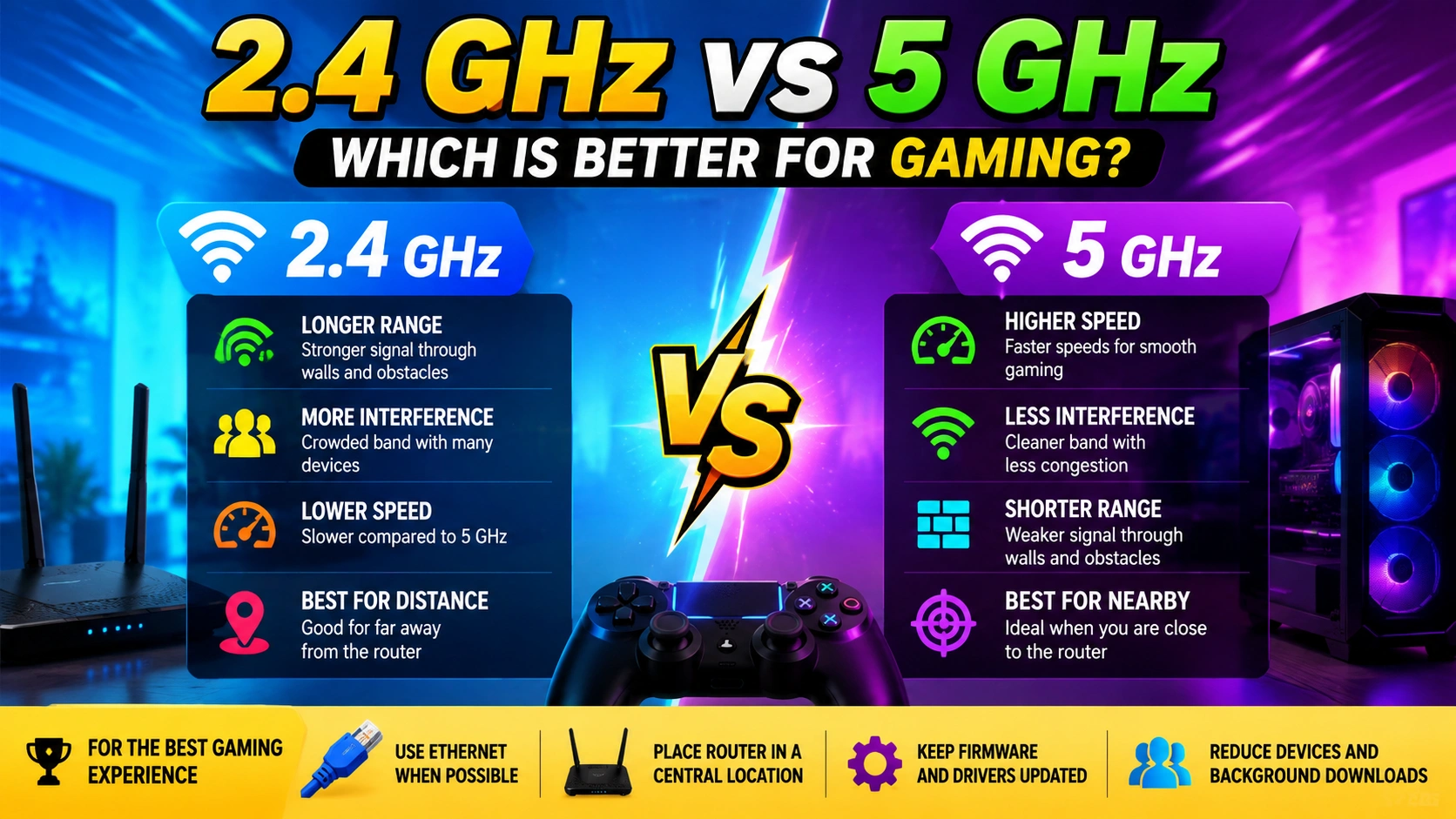
When you are gaming online, a stable internet connection can make the difference between a smooth match and a frustrating experience. If your gaming PC, laptop, console, or smartphone connects through Wi-Fi, you may have noticed that your router offers two common frequency bands: 2.4 GHz and 5 GHz.
But which one is better for gaming?
In most situations, 5 GHz Wi-Fi is the better choice for gaming when you are relatively close to the router. It generally provides faster speeds, lower congestion, and more available channels. However, 2.4 GHz can be more reliable when your gaming device is far away from the router or separated by several walls.
This guide explains the differences between 2.4 GHz and 5 GHz, how each affects gaming performance, and which band you should choose for the best possible experience.
What Is the Difference Between 2.4 GHz and 5 GHz?
The 2.4 GHz and 5 GHz labels refer to the radio frequencies used by your Wi-Fi network. They are not directly related to your internet provider’s speed.
The main difference is how each frequency handles range, interference, speed, and obstacles.
2.4 GHz Wi-Fi
The 2.4 GHz band has been around for a long time and offers better coverage. Its lower frequency allows wireless signals to travel farther and pass through walls more effectively.
However, 2.4 GHz is often more crowded because many household devices use this frequency, including older wireless equipment, Bluetooth devices, smart-home products, and neighboring Wi-Fi networks.
5 GHz Wi-Fi
The 5 GHz band generally offers higher wireless speeds and more channels. It is also less crowded in many environments.
The downside is that 5 GHz signals have a shorter effective range and tend to lose strength more quickly when passing through walls and other obstacles.
2.4 GHz vs 5 GHz for Gaming
For gaming, raw download speed is not the only thing that matters. Important factors include:
- Ping or latency
- Connection stability
- Packet loss
- Jitter
- Signal strength
- Wireless interference
- Network congestion
A connection with extremely high download speed can still feel terrible in an online game if it has unstable latency or frequent packet loss.
Is 5 GHz Better for Gaming?
Usually, yes.
If your gaming device is close enough to the router, 5 GHz is often the preferred option. It can provide a faster and cleaner wireless connection, which may help reduce congestion and improve consistency.
However, switching to 5 GHz does not automatically guarantee lower ping. Your latency is also affected by your internet service provider, router, game server location, network traffic, and other factors.
For example, if your internet connection already has a 20 ms ping, changing from 2.4 GHz to 5 GHz may not dramatically reduce it. The benefit may instead come from improved stability and reduced wireless interference.
2.4 GHz vs 5 GHz: Gaming Comparison
| Feature | 2.4 GHz | 5 GHz |
|---|---|---|
| Range | Longer | Shorter |
| Wall penetration | Better | Weaker |
| Maximum potential speed | Lower | Higher |
| Interference | Usually higher | Usually lower |
| Available channels | Fewer | More |
| Best for distant devices | Yes | Not always |
| Best for nearby gaming | Good | Usually better |
| Congested environments | More vulnerable | Often better |
| Gaming recommendation | Good when range matters | Preferred when signal is strong |
When Should You Use 5 GHz for Gaming?
5 GHz is usually the best choice if your gaming device is:
- In the same room as the router
- One room away from the router
- Connected to a strong 5 GHz signal
- Using a modern Wi-Fi adapter
- Experiencing congestion on 2.4 GHz
If your gaming PC or console receives a strong 5 GHz signal, there is usually little reason to deliberately switch to 2.4 GHz.
The shorter range of 5 GHz becomes more important as you move farther away from the router.
When Is 2.4 GHz Better?
2.4 GHz can be the better option when your gaming device is located far from the router.
For example, imagine your router is downstairs while your gaming setup is upstairs. If several walls and a floor separate the two devices, the 5 GHz signal may become significantly weaker.
In that situation, 2.4 GHz may provide a more stable connection despite having lower maximum speeds.
For online gaming, a stable connection is often more valuable than a higher theoretical Wi-Fi speed.
Does 5 GHz Reduce Ping?
This is one of the most common questions about Wi-Fi gaming.
5 GHz can help reduce Wi-Fi-related latency, but it does not automatically lower your overall ping.
Your ping measures how long it takes data to travel between your device and a destination, such as a game server. Several parts of that journey contribute to the result.
A simplified path looks like this:
Gaming device → Wi-Fi router → ISP network → Internet → Game server
Changing from 2.4 GHz to 5 GHz only changes the wireless portion of that connection.
If your 2.4 GHz network is heavily congested, moving to 5 GHz may make your connection more responsive. But if the majority of your latency comes from your ISP or the physical distance to the game server, changing Wi-Fi bands will have limited impact.
Why 2.4 GHz Can Cause Gaming Problems
The biggest problem with 2.4 GHz is congestion.
Because the band is widely used, your router may compete with nearby wireless networks and other devices.
This can contribute to:
- Higher latency
- Random ping spikes
- Jitter
- Packet loss
- Temporary disconnects
- Inconsistent gaming performance
The problem is especially noticeable in apartments, dormitories, offices, and densely populated areas where many Wi-Fi networks are operating nearby.
Why 5 GHz Can Be Better for Competitive Gaming
Competitive games such as first-person shooters, fighting games, racing games, and battle royale titles can be sensitive to connection instability.
Even a short interruption or sudden latency spike can affect gameplay.
A strong 5 GHz connection can provide a cleaner wireless environment than a congested 2.4 GHz network. This makes it an attractive choice for competitive gaming when the device is close enough to the router.
However, competitive players should still consider using Ethernet whenever practical.
Is Ethernet Better Than Both 2.4 GHz and 5 GHz?
Yes.
If your gaming setup can be connected directly to your router using Ethernet, a wired connection is generally the best option for minimizing wireless-related interference and instability.
Ethernet avoids the radio interference and signal-strength limitations associated with Wi-Fi.
For a stationary gaming PC or console, Ethernet is often preferable to both 2.4 GHz and 5 GHz.
Wi-Fi remains extremely useful for devices where running a network cable is inconvenient, but a wired connection can provide a more consistent experience for serious competitive gaming.
How Far Can 5 GHz Wi-Fi Reach?
There is no single distance that applies to every 5 GHz network.
Actual coverage depends on:
- Router hardware
- Wi-Fi generation
- Antenna design
- Transmit power
- Walls and floors
- Building materials
- Interference
- Device capabilities
- Router placement
A 5 GHz network can work very well throughout a home, but performance generally decreases more quickly with distance than 2.4 GHz.
Instead of judging the connection by distance alone, check the actual signal strength and gaming performance at your gaming location.
How to Choose the Best Wi-Fi Band for Gaming
Use these simple guidelines:
Choose 5 GHz if:
- Your device is close to the router.
- You have a strong 5 GHz signal.
- Your 2.4 GHz network is crowded.
- You want higher Wi-Fi throughput.
- You regularly experience interference on 2.4 GHz.
Choose 2.4 GHz if:
- Your gaming device is far from the router.
- Multiple walls weaken the 5 GHz signal.
- 5 GHz frequently disconnects.
- Your 2.4 GHz connection is noticeably more stable.
Choose Ethernet if:
- Your gaming device is stationary.
- You want maximum connection stability.
- You play competitive online games.
- Running a network cable is practical.
Tips to Improve Wi-Fi Gaming Performance
Changing the frequency band is only one way to improve your connection. Try these additional steps.
1. Move the Router
Place your router in a central, elevated, and open location rather than inside a cabinet or behind large objects.
Better router placement can improve signal quality throughout your home.
2. Keep Your Gaming Device Close to the Router
If possible, position your gaming setup within a reasonable range of the router. Fewer walls and obstacles generally mean a stronger connection.
3. Reduce Wireless Interference
Keep the router away from potential sources of interference and avoid placing it directly beside large electronic devices.
4. Use a Modern Wi-Fi Adapter
An older wireless adapter may limit the performance of your gaming device even when your router supports newer Wi-Fi standards.
Updating your Wi-Fi drivers can also help resolve compatibility and stability issues.
5. Check for Background Downloads
Other devices on your network can consume bandwidth and create congestion.
Pause large downloads, cloud synchronization, video streaming, and other bandwidth-heavy activities while gaming if they are affecting your connection.
6. Update Your Router Firmware
Router manufacturers periodically release firmware updates that can improve performance, stability, compatibility, and security.
7. Consider Quality of Service
Some routers include Quality of Service (QoS) features that can prioritize gaming traffic or prevent other devices from overwhelming the connection.
QoS can be particularly useful when several people are using the same internet connection simultaneously.
Does Faster Wi-Fi Mean Lower Ping?
Not necessarily.
This distinction is important.
Wi-Fi speed is typically measured in Mbps or Gbps, while gaming latency is measured in milliseconds.
For example, upgrading to a Wi-Fi connection capable of several gigabits per second does not necessarily turn a 50 ms gaming connection into a 10 ms connection.
Gaming performance depends more heavily on latency consistency, packet loss, jitter, and the route to the game server than on having the highest possible Wi-Fi throughput.
2.4 GHz vs 5 GHz: Which One Should Gamers Choose?
For most gamers, the answer is straightforward:
Use 5 GHz when you have a strong signal and are reasonably close to the router. Use 2.4 GHz when range and signal penetration are more important.
If you want the most consistent connection possible, use Ethernet.
There is no universal “best” Wi-Fi frequency because your home’s layout, router, gaming device, and wireless environment all affect performance.
The best approach is to test both bands from your actual gaming location.
Frequently Asked Questions
Is 5 GHz Wi-Fi better than 2.4 GHz for gaming?
Generally, yes, when you have a strong 5 GHz signal. It usually provides higher potential speeds and can experience less congestion. However, 2.4 GHz can be better when your gaming device is far away from the router.
Does 5 GHz give better FPS?
No. Wi-Fi frequency does not directly increase your game’s frames per second. FPS is primarily determined by your hardware, graphics settings, drivers, and the game itself.
5 GHz can potentially improve your network experience, but it does not directly make your GPU or CPU render frames faster.
Is 2.4 GHz bad for gaming?
No. 2.4 GHz can work perfectly well for gaming if the connection is strong and stable. Its main disadvantage is that the band is often more congested than 5 GHz.
Should PS5 or Xbox use 5 GHz?
If the console is close enough to the router and receives a strong 5 GHz signal, 5 GHz is usually a good choice. If the signal becomes weak or unstable, 2.4 GHz may provide a better connection.
Is Ethernet better than 5 GHz for gaming?
Usually, yes. Ethernet eliminates Wi-Fi radio interference and generally provides a more consistent connection. For stationary gaming devices, Ethernet is often the preferred option.
Final Verdict
When comparing 2.4 GHz vs 5 GHz for gaming, there is no single winner for every setup.
5 GHz is usually the better Wi-Fi option for gaming when your device is close to the router. It offers higher potential throughput and often encounters less congestion.
2.4 GHz is useful when distance and obstacles are the main concerns. Its longer range can make it more stable when a 5 GHz signal becomes weak.
For the best gaming experience, prioritize connection stability over advertised Wi-Fi speed. If possible, connect your gaming PC or console through Ethernet. Otherwise, choose the Wi-Fi band that provides the strongest and most consistent connection at your gaming location.