

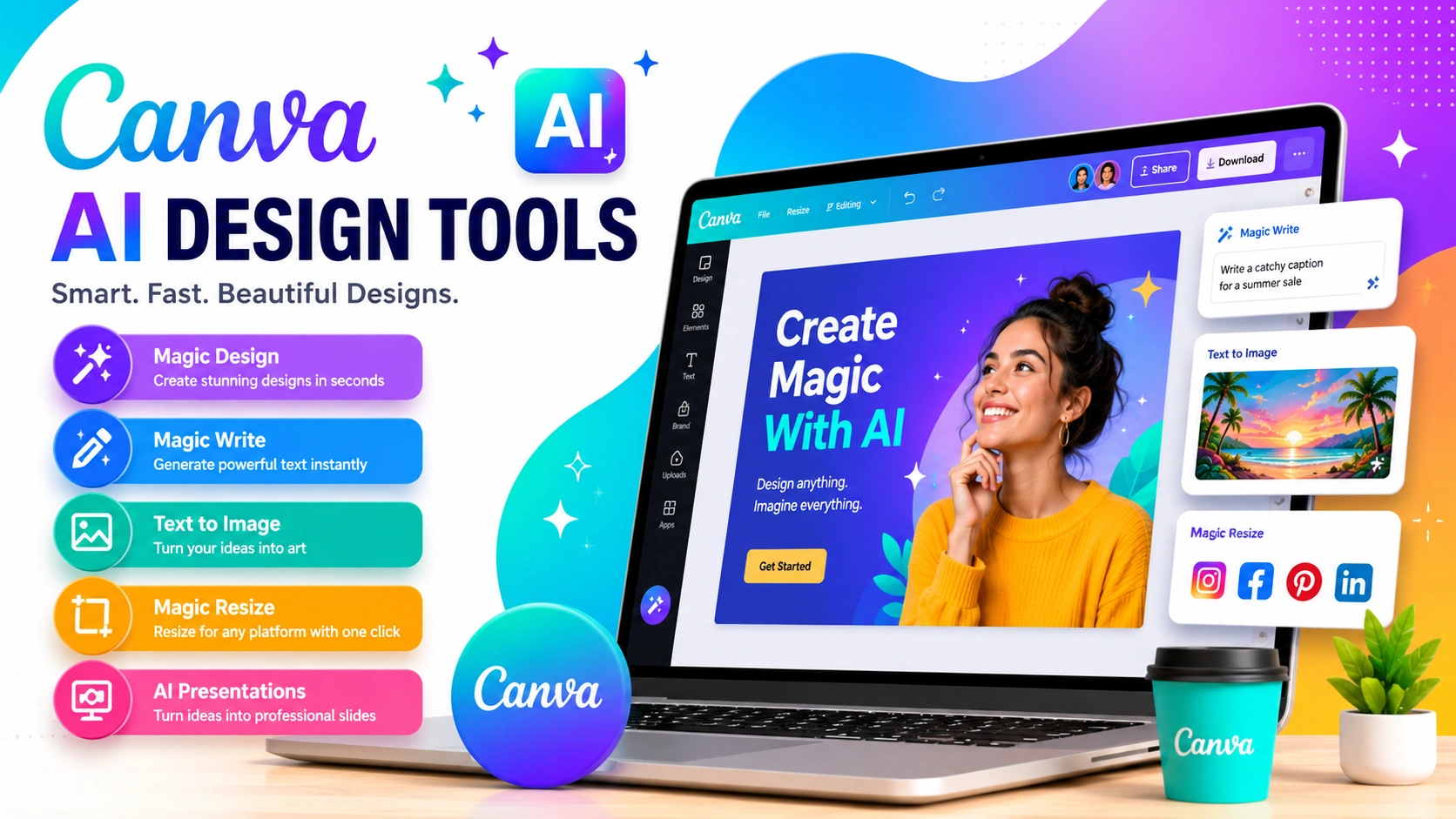
Artificial intelligence is transforming how people create visual content. Tasks that once required professional design expertise can now be completed in minutes using AI-powered platforms. Among the most popular solutions available today is Canva, a design platform that combines ease of use with powerful artificial intelligence features.
Canva AI Design Tools help users generate graphics, edit images, write content, create presentations, and streamline creative workflows without requiring advanced design skills. Whether you are a blogger, marketer, entrepreneur, student, or content creator, these AI-powered features can significantly reduce the time spent on repetitive tasks while improving overall productivity.
The growing adoption of AI tools is part of a broader trend toward smarter digital workflows. Many professionals already rely on the Best Productivity Apps for Windows to manage tasks and improve efficiency, and Canva extends that productivity into the creative process by making design faster and more accessible.
In this guide, you’ll discover the most useful Canva AI Design Tools, learn how they work, explore their advantages and limitations, and see practical examples of how they can be used in real-world projects.
What Are Canva AI Design Tools?
Canva AI Design Tools are a collection of artificial intelligence features built directly into Canva’s design platform. These tools help users create professional-quality graphics, presentations, videos, documents, and marketing materials faster by automating many of the design tasks that traditionally required specialized skills.
Instead of starting from a blank canvas, users can leverage AI to generate layouts, create images from text prompts, write content, edit photos, remove backgrounds, and even build complete presentations. This allows designers and non-designers alike to focus more on creativity and strategy rather than technical design work.
The primary purpose of Canva AI Design Tools is not to replace human creativity but to enhance it. By handling repetitive and time-consuming tasks, AI enables users to experiment with ideas more quickly and bring concepts to life with less effort.
Today, Canva offers a wide range of AI-powered features. Some tools focus on content creation, such as generating text and images, while others improve productivity through automated editing, resizing, and design recommendations. Together, these capabilities make Canva one of the most accessible AI-driven design platforms available.
Why Canva AI Design Tools Have Become So Popular
The popularity of Canva AI Design Tools continues to grow because they make professional design accessible to everyone. Businesses, marketers, students, bloggers, and content creators can produce high-quality visuals without spending years learning complex graphic design software.
Unlike traditional design applications that often require extensive training and technical expertise, Canva offers a simple and intuitive interface. Users can quickly create professional-looking content using drag-and-drop tools combined with powerful AI features that automate many time-consuming tasks.
Several key factors have contributed to the widespread adoption of Canva AI Design Tools:
Easy Drag-and-Drop Design
Canva’s user-friendly editor allows anyone to create graphics, presentations, and marketing materials with minimal effort.
AI-Powered Content Creation
Built-in artificial intelligence can generate designs, images, text, and presentations, helping users complete projects much faster.
Cloud-Based Collaboration
Teams can work together in real time, making it easier to review, edit, and share projects from anywhere.
Extensive Template Library
Canva provides thousands of professionally designed templates for social media, business, education, and marketing purposes.
Cross-Platform Accessibility
Users can access Canva from desktop computers, tablets, and mobile devices, ensuring a seamless design experience across platforms.
Beginner-Friendly Learning Curve
Most users can start creating professional designs within minutes, making Canva an attractive option for those with little or no design experience.
Affordable Pricing Plans
Canva offers a generous free plan along with reasonably priced premium features, making advanced design tools accessible to individuals and businesses of all sizes.
These advantages have helped Canva become one of the leading AI-powered design platforms, enabling millions of users worldwide to create professional content quickly, efficiently, and cost-effectively.
How Canva AI Design Tools Work
Canva AI Design Tools use advanced machine learning and artificial intelligence technologies to simplify the design process. These tools analyze user inputs, recognize patterns, and generate creative suggestions that help users produce professional-quality content faster than traditional design methods.
The process begins when a user enters a text prompt, uploads an image, provides content, or requests a specific design action. Canva’s AI then interprets the request and generates relevant outputs based on its training data and design algorithms.
For example, Canva AI can perform a variety of tasks automatically:
Text Prompts Generate Images
Users can describe a scene, concept, or style, and Canva’s AI image generator creates unique visuals based on the prompt.
Design Prompts Create Layouts
By entering a simple design request, users can instantly receive professionally designed templates and layouts tailored to their needs.
Topics Become Presentations
Canva’s AI Presentation Generator can transform a topic or outline into a complete slide deck with suggested content, layouts, and visual elements.
Photos Can Be Edited Automatically
AI-powered editing tools can remove backgrounds, replace objects, enhance images, and make complex photo adjustments with just a few clicks.
Written Ideas Become Marketing Content
Features like Magic Write can generate headlines, social media captions, blog outlines, product descriptions, and other marketing materials from simple instructions.
Smart Recommendations Improve Designs
Canva AI also analyzes ongoing projects and suggests fonts, color schemes, layouts, and design elements that enhance visual appeal and consistency.
The biggest advantage of Canva AI Design Tools is that they handle much of the technical work behind the scenes. Users remain in full control of the final design while benefiting from intelligent automation that speeds up creation, reduces manual effort, and helps produce more polished results.
1. Magic Design
What Is Magic Design?
Magic Design is one of the most impressive Canva AI Design Tools. It creates complete design layouts based on text prompts, images, or uploaded content.
Instead of starting with a blank canvas, users receive multiple professionally designed templates instantly.
How to Use Magic Design
- Open Canva.
- Select Magic Design.
- Upload an image or enter a prompt.
- Review generated templates.
- Customize the selected design.
Benefits of Magic Design
- Saves time
- Reduces creative blocks
- Generates multiple concepts instantly
- Provides professional layouts
- Simplifies design creation
Magic Design is especially useful for social media graphics, advertisements, blog images, and promotional materials.
2. Magic Write
What Is Magic Write?
Magic Write is Canva’s AI writing assistant.
It helps generate written content directly inside Canva, making it easier to create complete projects without switching between multiple applications.
Content Types Magic Write Can Generate
- Blog outlines
- Social media captions
- Product descriptions
- Email campaigns
- Marketing copy
- Video scripts
- Presentation summaries
Benefits of Magic Write
Content creators can quickly generate first drafts and then personalize them to match their voice and branding.
This significantly reduces content creation time.
3. Text to Image
What Is Canva Text to Image?
The Text to Image feature converts written prompts into original artwork.
Users simply describe what they want, and the AI generates custom visuals.
Examples of Prompts
- Futuristic city at sunset
- Watercolor mountain landscape
- Modern office workspace
- Cyberpunk street scene
- Fantasy castle in the clouds
Why It Matters
Stock photos do not always match specific creative needs.
Text to Image allows users to generate unique visuals tailored to their projects.
This feature is particularly valuable for:
- Blog graphics
- Marketing campaigns
- Social media posts
- Presentations
- Creative projects
4. Magic Edit
What Is Magic Edit?
Magic Edit allows users to modify selected portions of an image using AI.
Rather than recreating an image from scratch, users can replace objects, change elements, or add new visual components.
Example Uses
- Replace backgrounds
- Change clothing colors
- Add objects to photos
- Remove distractions
- Create marketing variations
Benefits
Magic Edit simplifies tasks that traditionally required advanced photo-editing software.
It enables non-designers to make sophisticated visual changes quickly.
5. Background Remover
Why Background Removal Matters
Removing image backgrounds is one of the most common graphic design tasks.
Traditionally, this process required manual selection and editing.
Canva automates the process using AI.
How Background Remover Works
- Upload a photo.
- Select Edit Photo.
- Click Background Remover.
- Review the result.
- Make minor adjustments if needed.
Common Uses
- Product photography
- Profile pictures
- Marketing materials
- E-commerce listings
- Promotional graphics
This feature alone can save countless hours for businesses and content creators.
6. Magic Resize
What Is Magic Resize?
Different platforms require different image dimensions.
A design created for Instagram may not fit Facebook, LinkedIn, Pinterest, or YouTube.
Magic Resize automatically adapts designs to multiple formats.
Benefits of Magic Resize
- Saves time
- Maintains branding consistency
- Eliminates manual resizing
- Supports multiple platforms
Ideal For
- Social media managers
- Digital marketers
- Agencies
- Business owners
- Content creators
Instead of recreating designs repeatedly, users can generate platform-specific versions with a few clicks.
7. AI Presentation Generator
Creating Presentations Faster
Building presentations from scratch often takes hours.
Canva’s AI Presentation Generator reduces that workload dramatically.
Users simply provide a topic or outline.
The AI then generates:
- Slide structures
- Titles
- Supporting content
- Visual layouts
- Design suggestions
Best Applications
- Business meetings
- School projects
- Training materials
- Marketing pitches
- Sales presentations
This feature helps users focus on information rather than formatting.
Benefits of Using Canva AI Design Tools
Faster Workflow
AI reduces repetitive design work and speeds up content creation.
Improved Productivity
Users can create more content in less time.
Better Accessibility
Beginners can produce professional-quality designs without extensive training.
Creative Inspiration
AI-generated suggestions help overcome creative blocks.
Cost Efficiency
Many design tasks can be completed without hiring professional designers.
Best Practices for Canva AI Design Tools
Write Detailed Prompts
Specific prompts usually generate better results.
Instead of writing:
“Create a business image”
Try:
“Create a modern office workspace with laptops, natural lighting, and professional employees.”
Customize Generated Content
AI should be considered a starting point.
Always refine designs to match your brand and objectives.
Maintain Brand Consistency
Use consistent:
- Colors
- Fonts
- Logos
- Messaging
Review AI-Generated Text
Always check generated content for accuracy and clarity.
Human editing remains essential.
Limitations of Canva AI Design Tools
Although Canva AI Design Tools are powerful, they have limitations.
AI Is Not Always Perfect
Generated results may occasionally require revisions.
Advanced Editing Can Be Limited
Professional designers may still need specialized software for highly complex projects.
Creativity Still Matters
AI provides assistance, but strong ideas and strategic thinking remain human responsibilities.
Subscription Restrictions
Some advanced AI features require premium Canva plans.
Canva AI Design Tools vs Traditional Design Software
| Feature | Canva AI Design Tools | Traditional Design Software |
|---|---|---|
| Ease of Use | Excellent | Moderate to Difficult |
| AI Features | Built-In | Varies |
| Learning Curve | Low | High |
| Collaboration | Strong | Limited |
| Cloud Access | Yes | Depends |
| Speed | Fast | Moderate |
| Professional Control | Moderate | Advanced |
For many users, Canva offers the ideal balance between simplicity and capability.
Who Should Use Canva AI Design Tools?
Bloggers
Create featured images, infographics, and social graphics.
Marketers
Develop campaigns and promotional materials faster.
Business Owners
Produce professional branding assets without outsourcing.
Students
Create presentations and educational materials efficiently.
Content Creators
Generate visual content for multiple platforms quickly.
Resources
For more information, visit:
Conclusion
Canva AI Design Tools have transformed digital content creation by making professional design accessible to everyone. Features such as Magic Design, Magic Write, Text to Image, Magic Edit, Background Remover, Magic Resize, and the AI Presentation Generator help users create high-quality content faster and more efficiently.
Whether you are managing a business, growing a blog, running social media campaigns, or creating educational materials, Canva AI Design Tools can streamline your workflow and improve productivity. By combining AI-powered automation with human creativity, users can produce compelling visual content while saving significant time and effort.