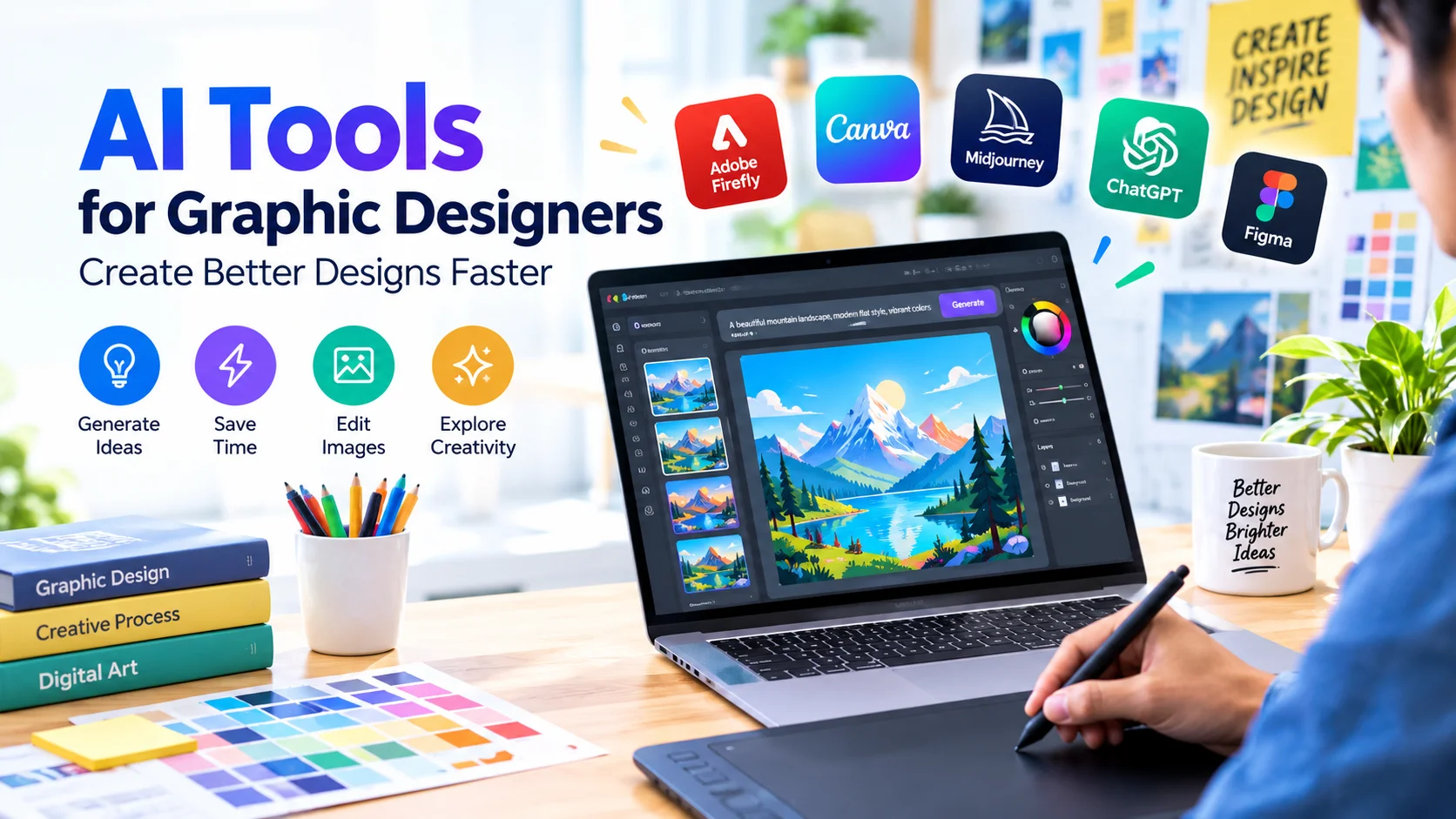
Graphic design is changing rapidly as AI tools for graphic designers make it easier to create, edit, and improve visual content. From generating design ideas to removing backgrounds and creating images from text, artificial intelligence can help designers save time while exploring more creative possibilities.
AI does not have to replace the designer. Instead, it can work as a creative assistant that handles repetitive tasks and helps turn ideas into professional visual concepts.
What Are AI Tools for Graphic Designers?
AI graphic design tools use artificial intelligence and machine learning to assist with creative tasks. Depending on the software, AI can generate images, suggest layouts, enhance photos, remove unwanted objects, create text effects, or automatically resize designs for different platforms.
These tools can be useful for professional designers, freelancers, marketers, content creators, and beginners.
Benefits of AI Tools for Graphic Designers
Using AI in a graphic design workflow can provide several advantages.
1. Generate Design Ideas Quickly
Coming up with new concepts can take time. AI tools can generate visual ideas based on text prompts, keywords, or design requirements.
For example, a designer creating a technology blog banner could describe the desired style, colors, subject, and composition. AI can then provide concepts that serve as starting points.
2. Save Time on Repetitive Tasks
Designers often spend significant time performing repetitive tasks such as background removal, image resizing, object selection, and photo enhancement.
AI-powered features can automate many of these tasks, allowing designers to spend more time on creative decisions.
3. Create Images From Text
Generative AI can create images based on natural-language descriptions. A designer can describe a scene, illustration, product concept, or background and use the generated result as inspiration or part of a larger composition.
The quality of generated images depends heavily on the prompt and the tool being used.
4. Improve Existing Images
AI can help enhance photographs and graphics by increasing resolution, reducing noise, sharpening details, or improving lighting.
This can be particularly useful when working with low-quality source images.
5. Produce Multiple Design Variations
Designers frequently need several versions of the same creative asset. AI-assisted design features can help create alternative layouts, styles, colors, or compositions more efficiently.
This is useful when preparing advertisements, social media graphics, presentations, and website images.
Popular AI Tools for Graphic Designers
Several design platforms now include AI-powered features. The best choice depends on the type of work you do.
Adobe Firefly
Adobe Firefly provides generative AI features for creating and modifying visual content. Designers can use text prompts to generate images and explore creative variations.
It can be particularly useful for designers already working with Adobe’s creative applications.
Canva AI
Canva includes AI-assisted features that can help users generate designs, images, text, and other creative elements. Its simple interface makes it suitable for beginners as well as experienced content creators.
Midjourney
Midjourney is widely known for generating highly stylized images from text prompts. Designers can use it for concept development, visual inspiration, illustrations, and creative experimentation.
ChatGPT
ChatGPT can assist with the planning and conceptual side of graphic design. Designers can use it to develop creative briefs, image prompts, campaign ideas, color concepts, headlines, and descriptions.
For example, instead of starting with a blank canvas, a designer can ask AI to develop several concepts for a website hero image.
Figma AI
Figma’s AI capabilities can assist with interface design and product-design workflows. AI-assisted features can help designers explore layouts, generate content, and accelerate parts of the design process.
How to Use AI in a Graphic Design Workflow
AI works best when it is integrated into an existing design process rather than used without human direction.
Step 1: Define the Design Goal
Start by identifying what you need to create. Determine the target audience, platform, dimensions, visual style, and main message.
Step 2: Create a Clear Prompt
When using generative AI, provide specific instructions. Include details such as:
- Subject
- Visual style
- Composition
- Lighting
- Color palette
- Aspect ratio
- Background
- Intended audience
A detailed prompt generally provides better direction than a short description.
Step 3: Generate Multiple Concepts
Do not immediately use the first AI-generated result. Create several variations and compare their composition, style, and suitability for the project.
Step 4: Refine the Result
AI-generated content often needs editing. Adjust typography, spacing, colors, proportions, branding, and other visual elements manually.
Step 5: Review the Final Design
Before publishing, check the design carefully. Look for inaccurate details, strange text, distorted objects, inconsistent branding, and other AI-generated mistakes.
AI Prompt Example for Graphic Designers
A useful prompt could be:
Create a modern technology-themed website hero image featuring a laptop, artificial intelligence concept, glowing digital elements, clean composition, professional corporate style, bright lighting, blue and white visual palette, wide 16:9 composition, and enough empty space for a headline.
The prompt can then be adjusted based on the desired audience and brand identity.
Tips for Getting Better Results From AI Design Tools
AI tools become more useful when designers provide clear creative direction.
Be specific: Describe the subject, style, composition, and intended use.
Experiment with variations: Generate multiple concepts instead of relying on a single result.
Use reference material when supported: References can help establish the desired visual direction.
Maintain brand consistency: AI-generated designs should follow your established fonts, colors, logos, and visual identity.
Edit manually: Treat AI output as a starting point rather than automatically considering it finished.
Check licensing and usage rights: Before using AI-generated assets commercially, review the current terms of the specific tool and any third-party assets included in the workflow.
Potential Limitations of AI Graphic Design Tools
AI can accelerate design work, but it also has limitations. Generated images may contain incorrect details, unusual typography, distorted hands or objects, or visual inconsistencies.
There can also be questions about copyright, licensing, originality, and commercial usage. Designers should understand the terms of each platform before using AI-generated content in commercial projects.
Another limitation is that AI does not automatically understand a brand’s complete visual strategy. Human designers remain important for creative direction, communication, usability, and final quality control.
AI vs Traditional Graphic Design
AI-assisted design and traditional graphic design do not necessarily compete with each other.
Traditional design provides human creativity, strategic thinking, artistic judgment, and precise control. AI provides speed, automation, experimentation, and rapid idea generation.
Combining both approaches can create a more efficient workflow.
Best Practices for Using AI in Graphic Design
For better results, follow these practices:
- Use AI to support creativity rather than eliminate creative thinking.
- Create a clear brief before generating designs.
- Generate multiple concepts and compare them.
- Always review AI-generated content manually.
- Maintain consistent branding across designs.
- Verify licensing and commercial-use requirements.
- Avoid uploading confidential client information unless the service’s privacy terms allow it.
- Keep human judgment involved in the final design process.
Frequently Asked Questions
What are the best AI tools for graphic designers?
Popular options include Adobe Firefly, Canva’s AI features, Midjourney, ChatGPT, and Figma’s AI capabilities. The best tool depends on whether you need image generation, layout assistance, brainstorming, photo editing, or interface design.
Can AI replace graphic designers?
AI can automate certain design tasks, but it does not completely replace the creative judgment and strategic thinking of professional designers. Human direction remains important for branding, communication, and quality control.
Can beginners use AI graphic design tools?
Yes. Many AI design tools are designed to be accessible to beginners. They can help new designers experiment with layouts, images, styles, and creative concepts while learning traditional design principles.
Are AI-generated designs safe for commercial use?
Commercial use depends on the specific tool, its terms, the generated content, and any assets incorporated into the design. Always check the current licensing and usage conditions before publishing commercial work.
Conclusion
AI tools for graphic designers can make creative workflows faster and more flexible. They can help generate ideas, automate repetitive tasks, create visual concepts, enhance images, and produce multiple design variations.
The most effective approach is to combine AI capabilities with human creativity. Use AI for exploration and efficiency, then apply professional design judgment to refine the final result. With the right workflow, AI can become a powerful assistant for creating better graphics in less time.